Chats and sessions
A session holds your chats, one dashboard and any reports. Starting another chat, and what happens when one fills up.
Overview
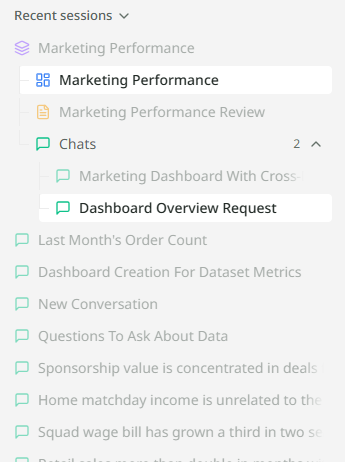
A session is one piece of work. It starts when you send your first message from the home screen, and it holds everything you make from there: the chats, one dashboard, and any reports. When you come back to it tomorrow, it opens where you left it.
You do not create sessions yourself. Asking a question creates one.
What a session holds
| Part | How many | What it is |
|---|---|---|
| Chats | One or more | The conversations. A session usually has one; a second is for a fresh line of questions on the same work. |
| Dashboard | At most one | The charts Mira has made for you, on a canvas that stays current. |
| Reports | Any number | Written documents Mira builds, each kept as its own versions. |
Inside a session, the canvas on the left shows the dashboard or a report as tabs, and the chat sits on the right. You can move between them without leaving the session.

Starting another chat in a session
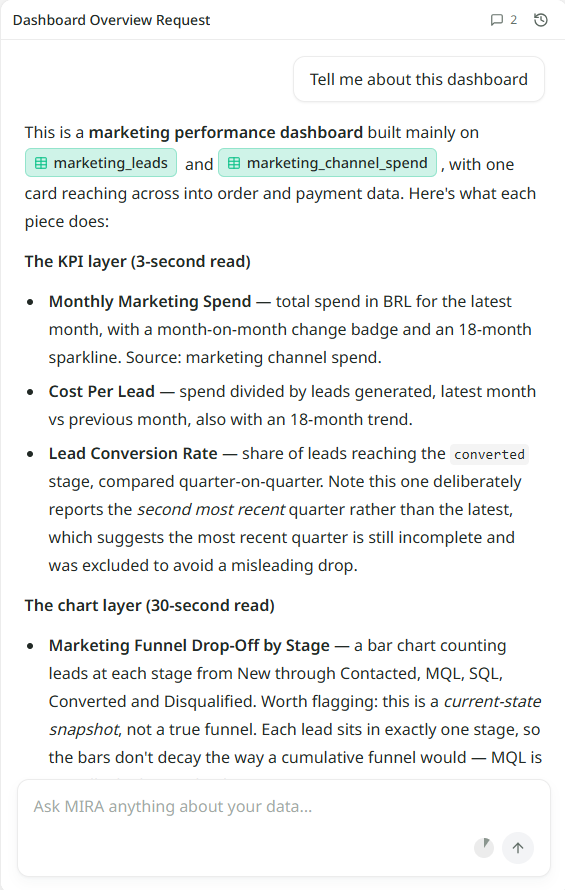
Sometimes you want a clean start without losing the dashboard and reports. The clock icon at the top of the chat shows the recent chats in this session and lets you start a new one. The dashboard and reports stay exactly as they were; only the conversation is new.
When a chat gets full
A very long conversation eventually reaches a limit, and Mira tells you so in the box. Start a new chat in the same session and carry on. Nothing you made is lost; the new chat can see the dashboard and reports just as the old one did.
Where sessions live
- The sidebar. Recent sessions are listed on the left, newest first. Click one to open it.
- Home. Beneath the box, with a search.
- The Library. Every session, dashboard, report and chat you have, with search, filters and sorting.
Naming
Mira names a session from your first question. You can rename it from the Library, and the name follows it everywhere it appears.