Permissions
Organisation-wide switches, starting with whether Leads can invite people.
Overview
Permissions holds switches that apply to the whole organisation. Each one lets people do something their role would not normally allow. A switch only ever adds: it never takes anything away from an Owner or Admin. Open the organisation menu at the top of the sidebar, choose Settings, then Permissions. Only Owners and Admins see this page.
There is one switch today. More will join it, each under the role it concerns.
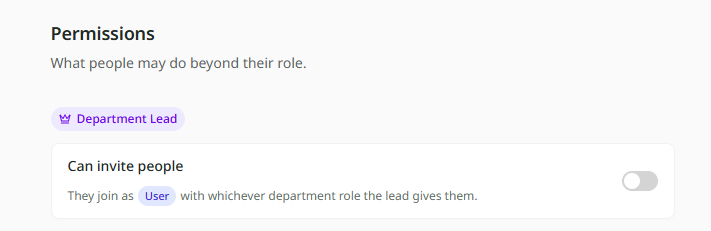
Can invite people
This switch sits under Department Lead and is off to begin with.
| When it is off | When it is on | |
|---|---|---|
| Adding people already in the organisation | A Lead can add them to their department. | The same. |
| Inviting someone new to Mira | Only Owners and Admins can. A Lead sees Invite someone new… greyed out. | A Lead can invite them straight into a department they lead. |
Someone a Lead invites joins the organisation as a User, with whichever department role the Lead gives them. They can only be invited into departments that Lead runs.
At Kestrel Outdoor the switch is on. Dan leads Sales. When a new sales rep starts, he invites them into Sales as a Member from the department's People and roles page, without waiting for an Admin. The rep can ask about Sales' tables and nothing else.
Turning it on or off
- Go to Settings, Permissions.
- Flip Can invite people. It saves straight away.
Leads see the change the next time their list of departments refreshes, for example when they reload the page.